Login करें
Resident Login पर registered mobile number डालें। Password या OTP से Resident और tenant, दोनों login कर सकते हैं।
Resident और tenant के लिए अलग-अलग आसान steps। Gate पर visitor approval से लेकर bills, family, vehicle, staff और GBM Minutes तक सब कुछ app के screenshots से समझें।
Screenshots demo account से सीधे लिए गए हैं। इनमें नाम और bill amounts dummy data हैं; Society Library के documents असली society records हैं।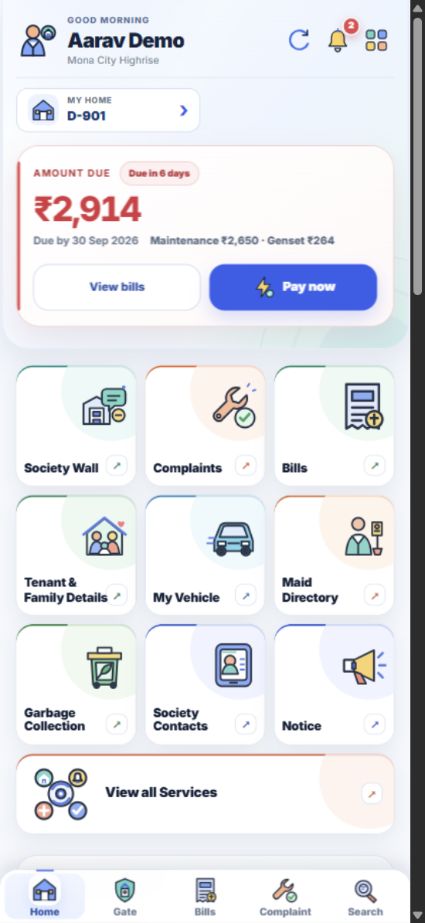
कोई topic नहीं मिला। दूसरा शब्द या app में दिखने वाला button name लिखकर देखें।
App के buttons English में हैं। यहाँ भी उन्हीं names का इस्तेमाल किया है, ताकि आपको screen पर आसानी से मिल जाएँ।
Resident Login पर registered mobile number डालें। Password या OTP से Resident और tenant, दोनों login कर सकते हैं।
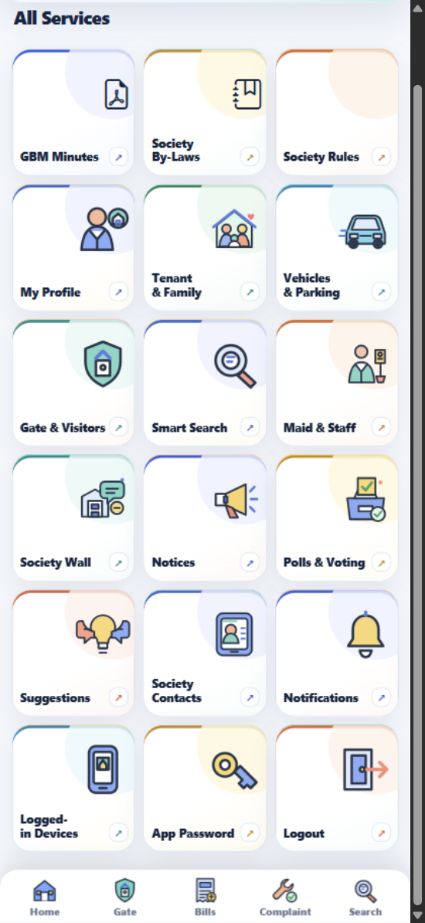
Home पर रोज़ की services के shortcuts हैं। ऊपर दाईं ओर चार squares दबाकर All Services खोलें।
Home, Gate, Bills, Complaint और Search के buttons मुख्य screens के नीचे मिलते हैं।
Demo account पर record किए गए mobile screen videos। इन videos में कोई payment, approval या document submit नहीं किया गया है।
Home से waiting request और पुराने visits तक कैसे जाएँ।
दोनों bill tabs और receipts कहाँ देखें।
Tenant record से document upload form तक कैसे जाएँ।
अपना flat और family record संभालें, services इस्तेमाल करें और society के official documents पढ़ें। हर topic में steps और उसी screen का screenshot है।
Registered mobile number से password या OTP के जरिए login करें। Home पर आपका flat, dues, alerts और रोज़ की services दिखती हैं।
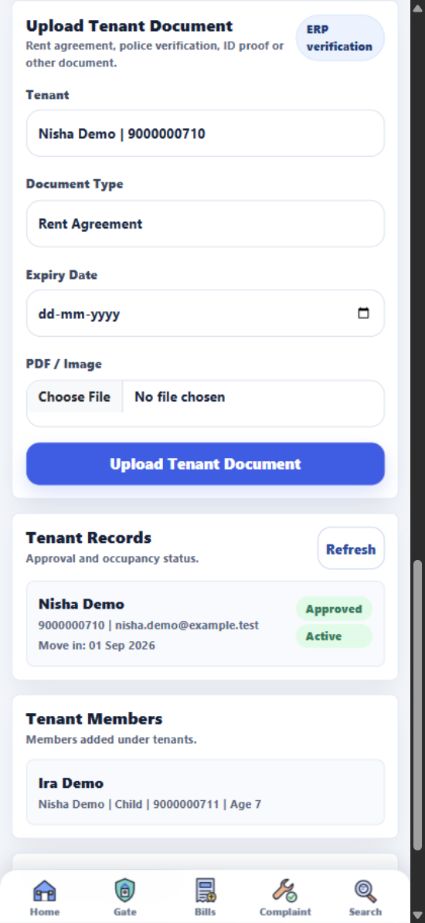
नए tenant की details app में भरें। उसका नाम, contact number और रहने की dates एक जगह रहेंगी।
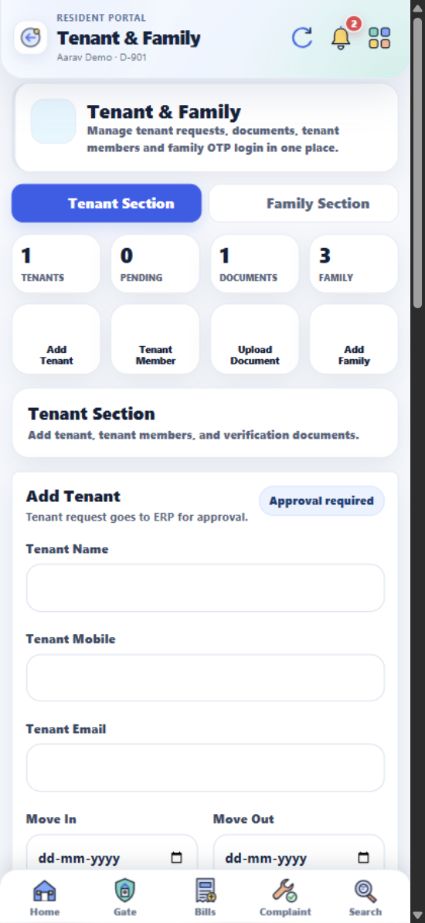
Tenant की family details, rent agreement, police verification और ID proof उसके record में रखें।
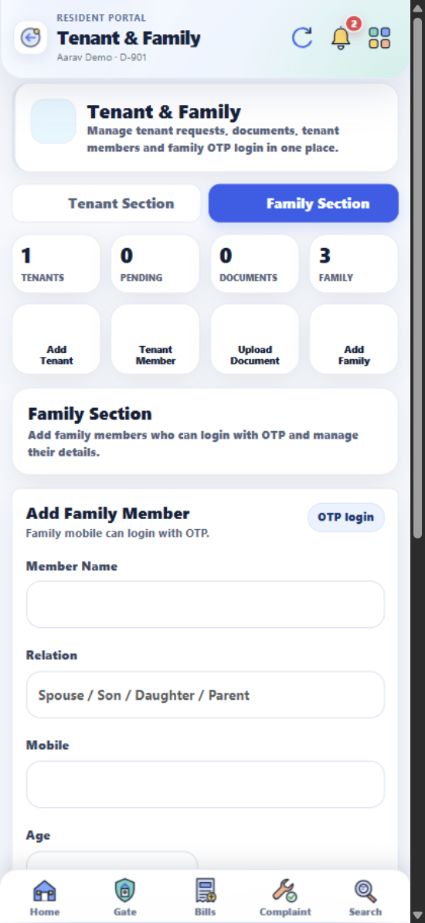
अपने flat से जुड़े family members के नाम, relation और mobile number add करके घर की details updated रखें।
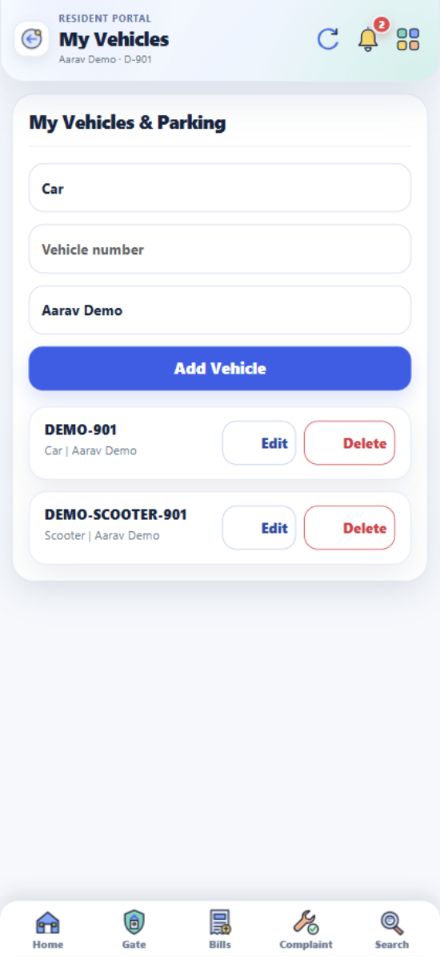
अपनी car, bike या scooter का number flat से जोड़ें, ताकि gate पर vehicle की पहचान हो सके।
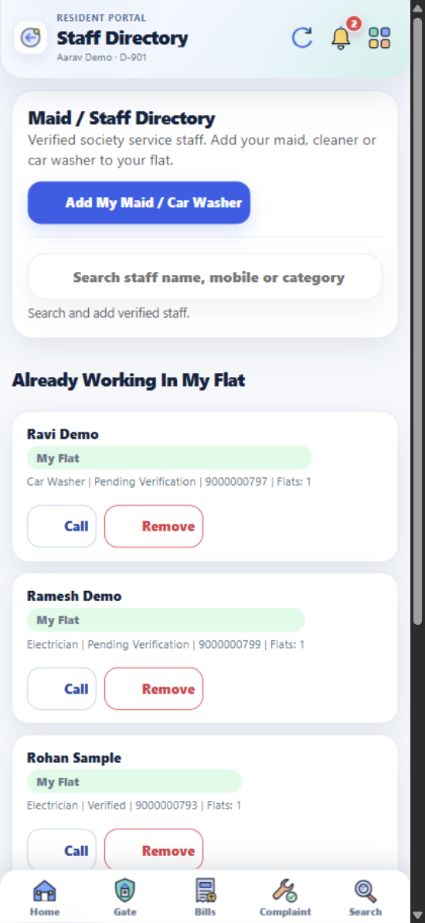
Maid Directory में staff खोजें और उसे अपने flat से जोड़ने की request भेजें।
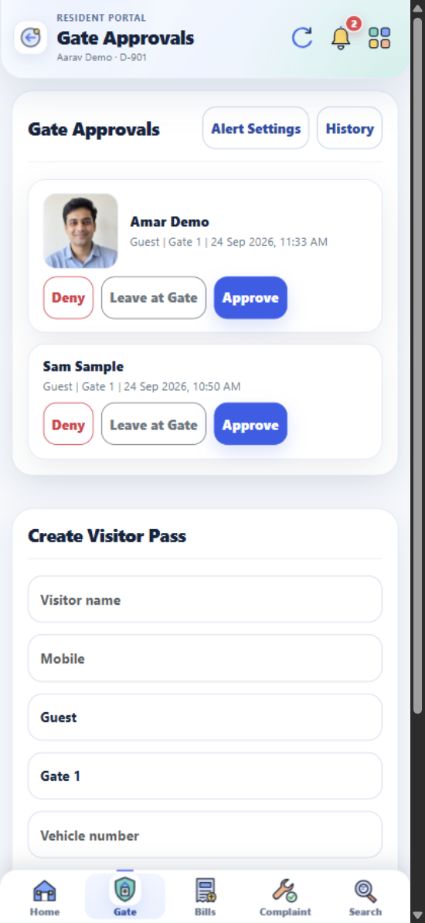
Gate पर visitor आए तो उसका नाम, type, gate और उपलब्ध photo देखकर approve या deny करें।
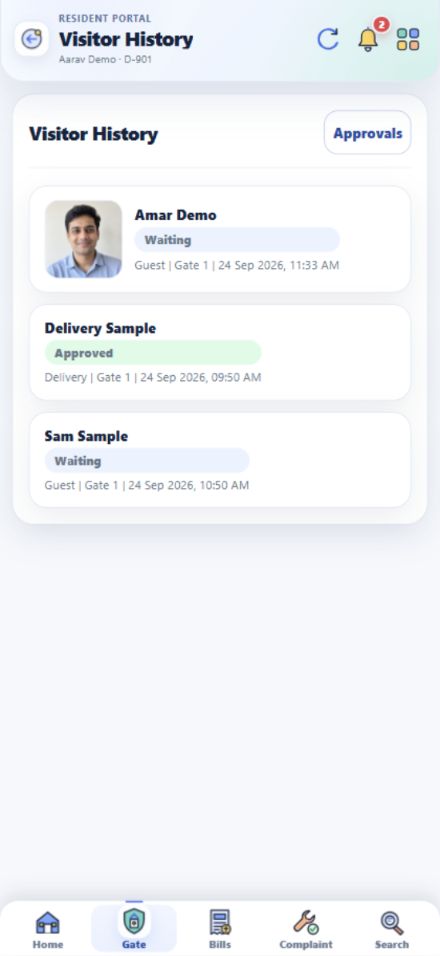
पहले कौन आया था और visitor alerts किसे मिलेंगे, यह Gate की अलग screens में देखें।
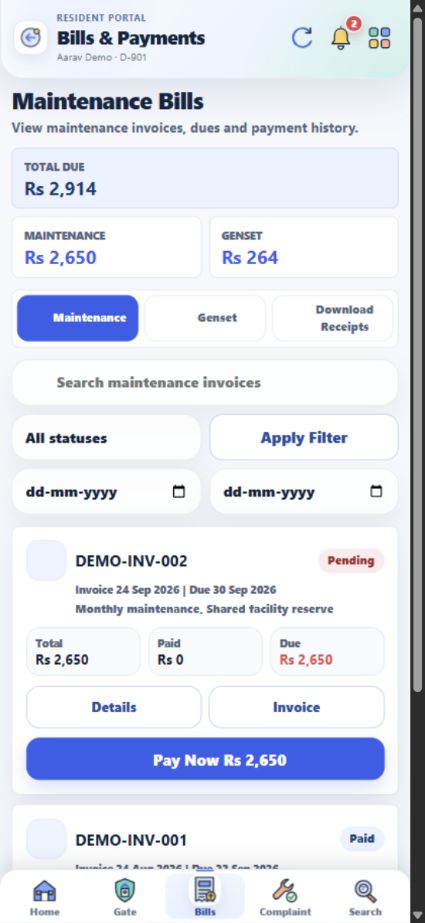
अपने flat के bills, dues, payment history और उपलब्ध receipts एक जगह देखें।
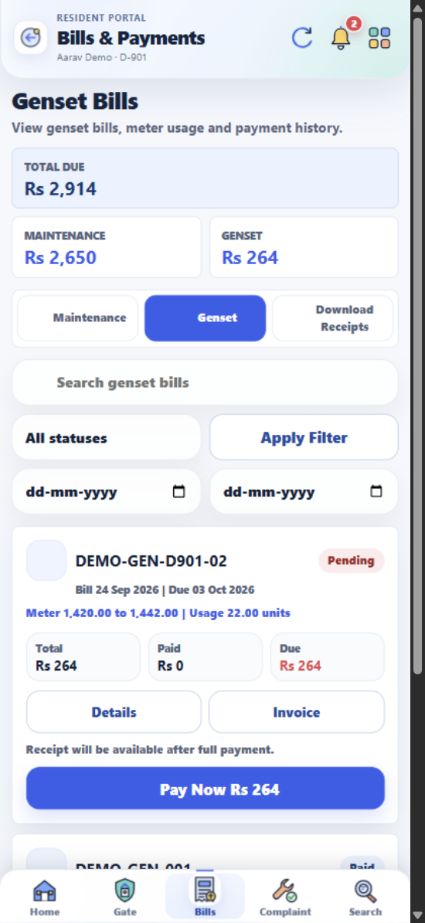
Genset की meter reading और bill, maintenance से अलग tab में देखें।
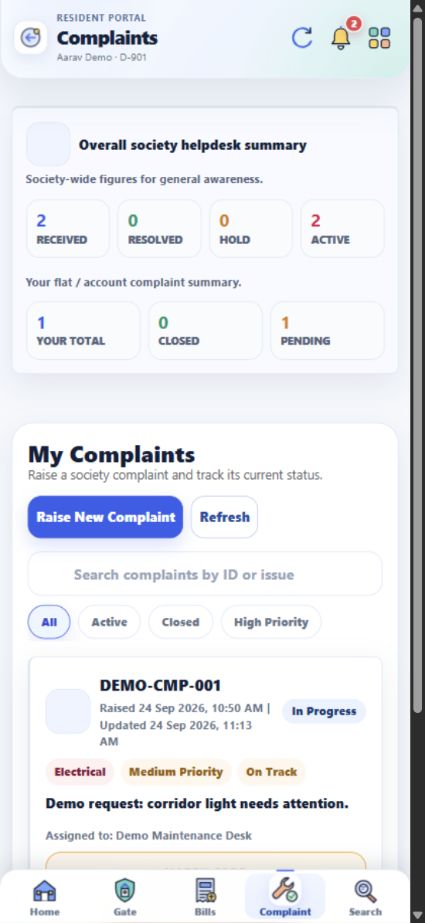
Maintenance, सफाई, security या common area की समस्या का ticket बनाकर उसकी progress देखें।
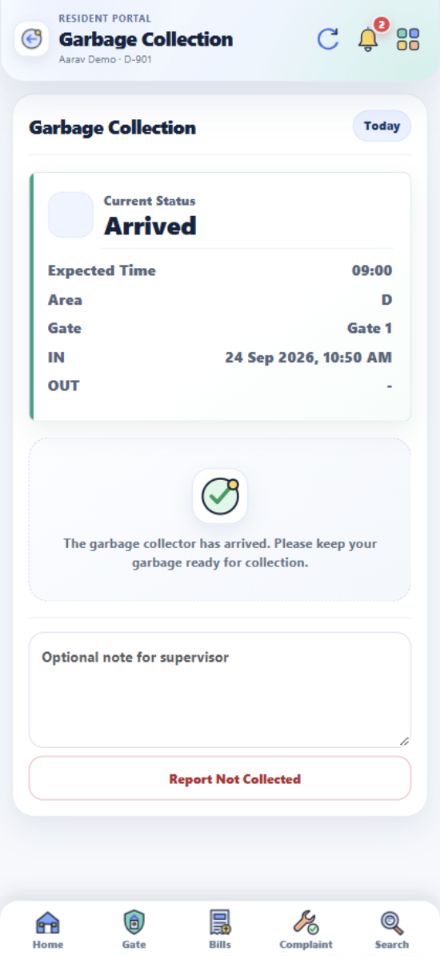
आज garbage collector कब आएगा, कौन से gate से आएगा और collection हुआ या नहीं, यह देखें।
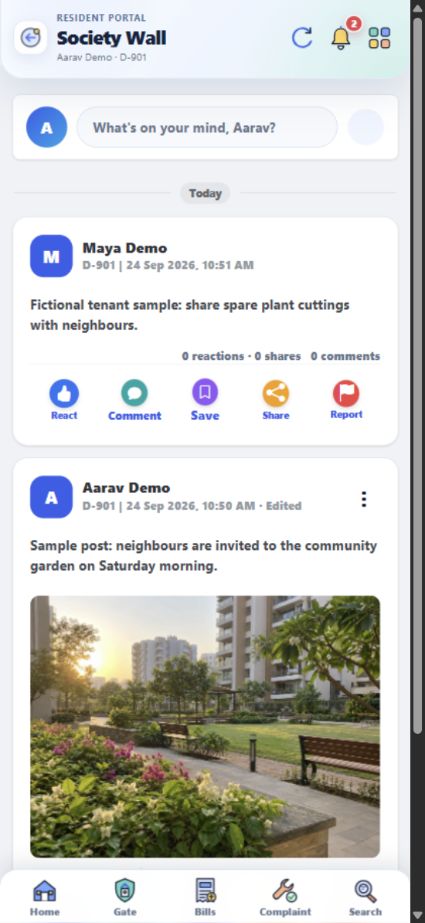
Society के updates पढ़ें, अपना post डालें और पड़ोसियों से बातचीत करें।
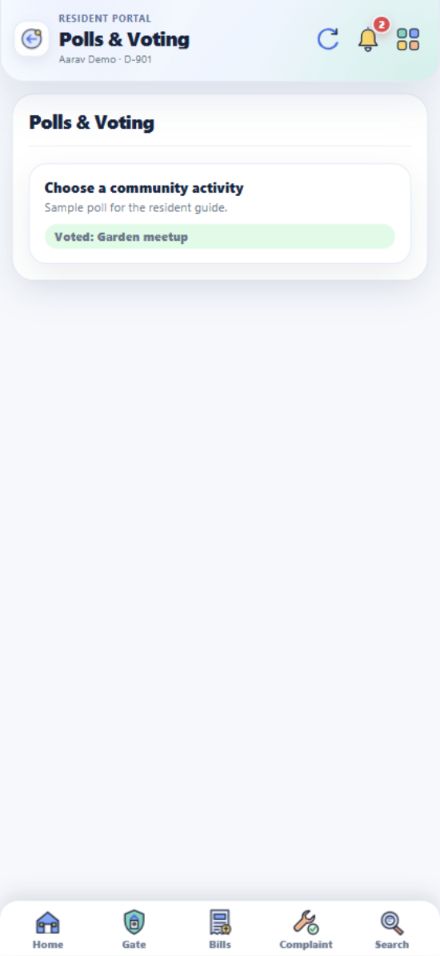
चल रहे poll के options देखें, अपना vote दें और पहले दिया हुआ vote भी देखें।
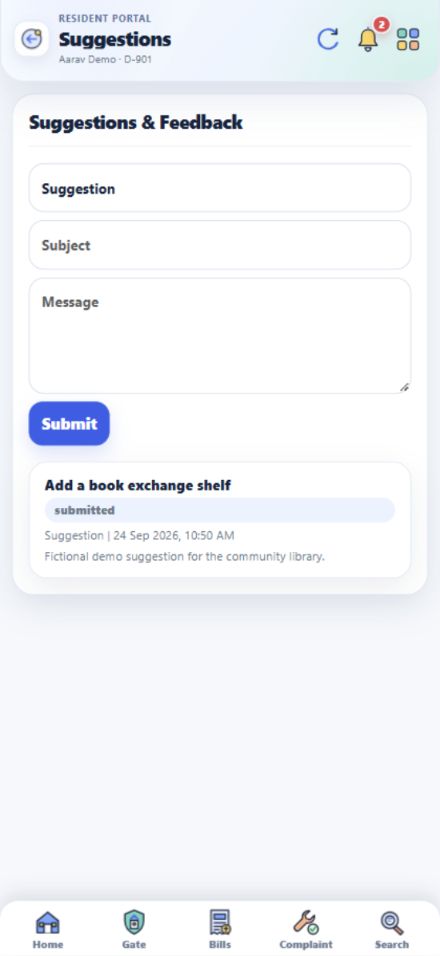
नई service का idea, general feedback या app से जुड़ी कोई बात सीधे भेजें।
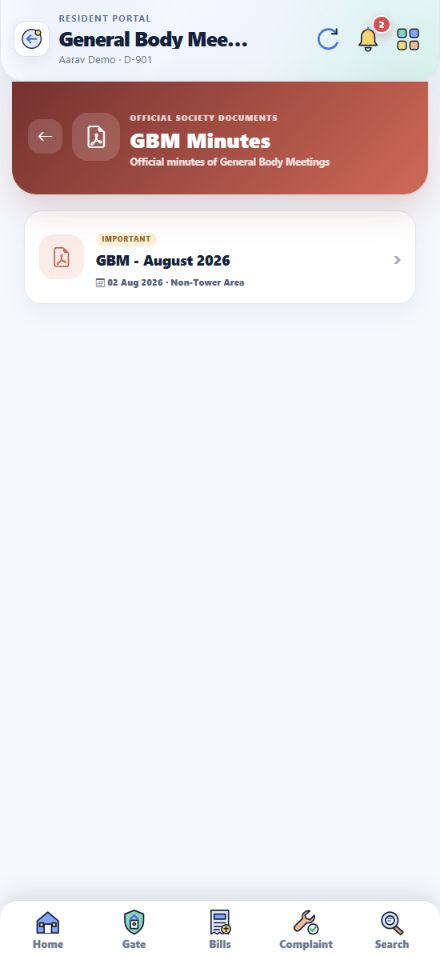
Home की Society Library में society के official documents देखें।
Society के original By-Laws app में सीधे पढ़ें।
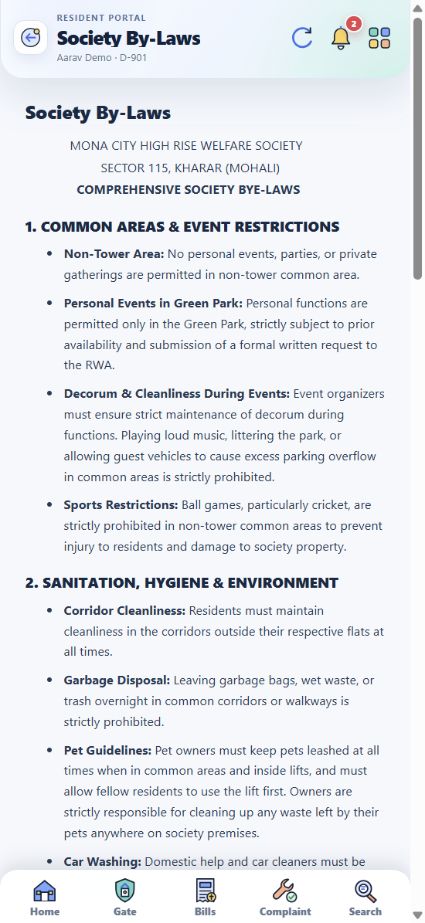
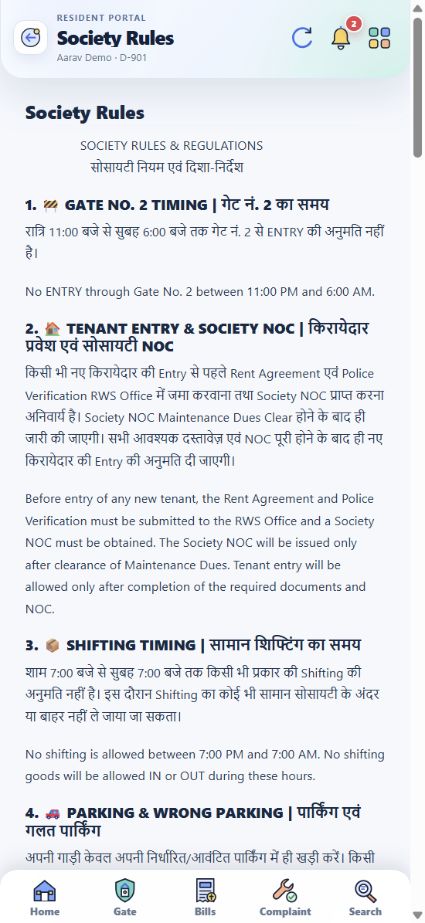
Society के original Hindi और English rules इस section में हैं।
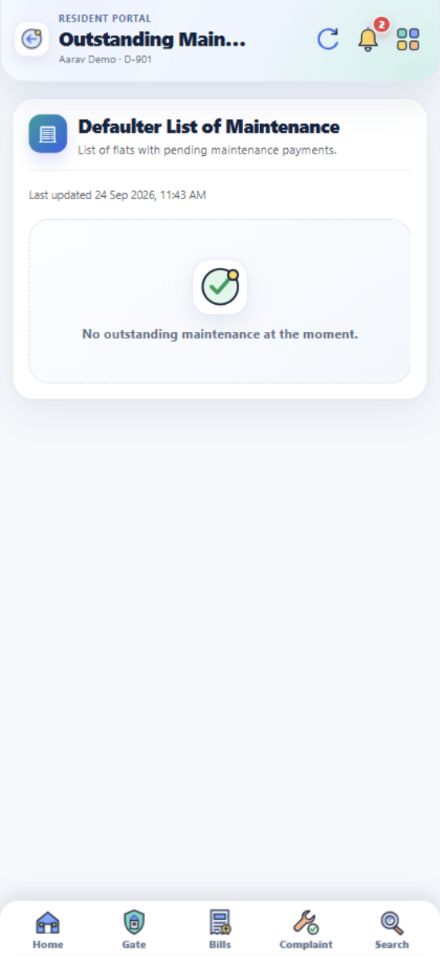
Home के At a glance section में Defaulter List of Maintenance का shortcut मिलता है।
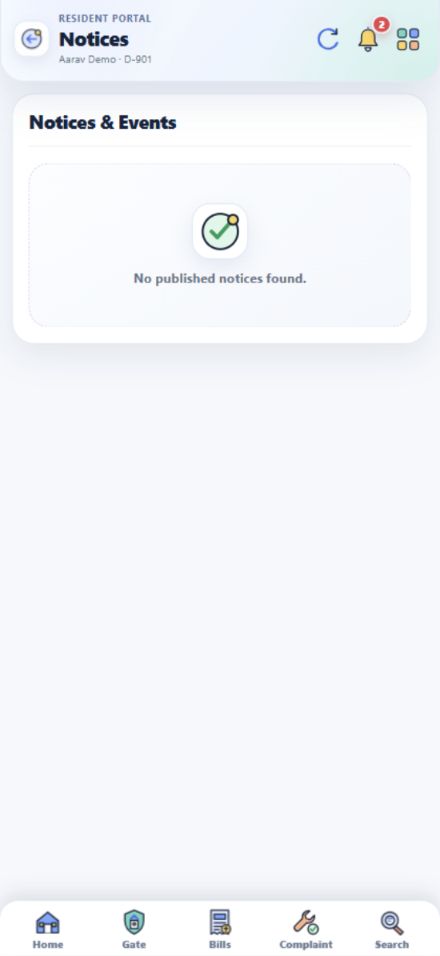
Society के announcements, events और जरूरी contacts आसानी से देखें।
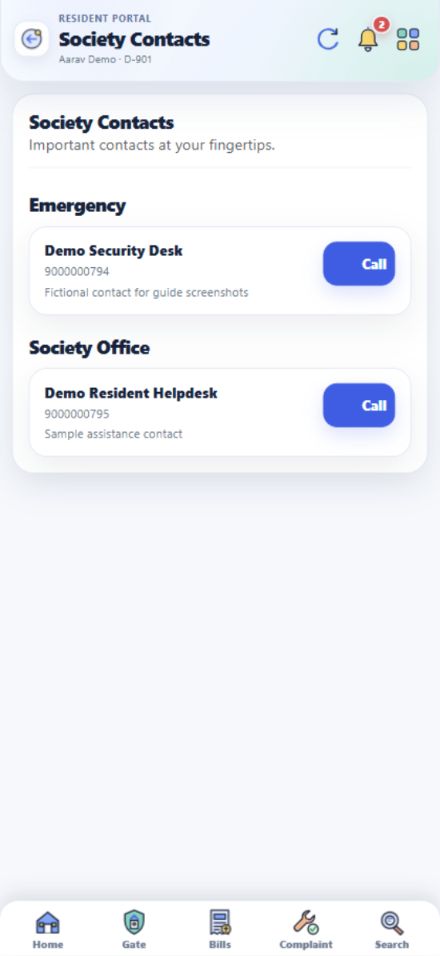
Society Contacts में office और emergency numbers सीधे मिलते हैं।
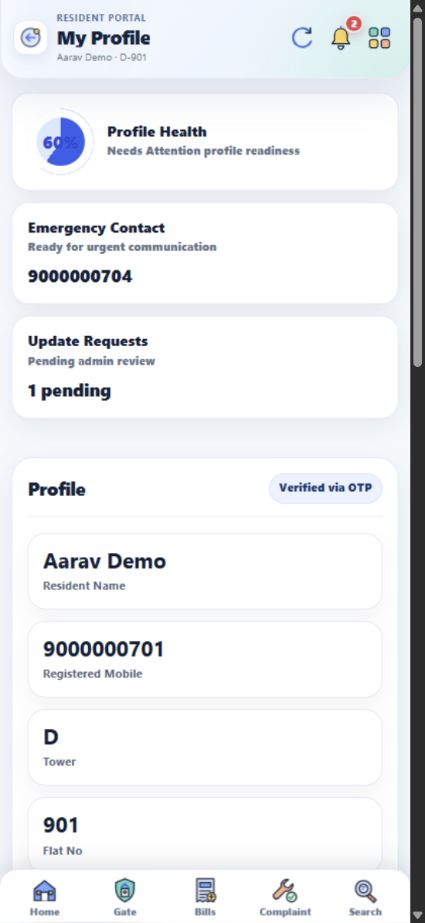
अपना नाम, registered mobile, flat और emergency contact एक जगह check करें।
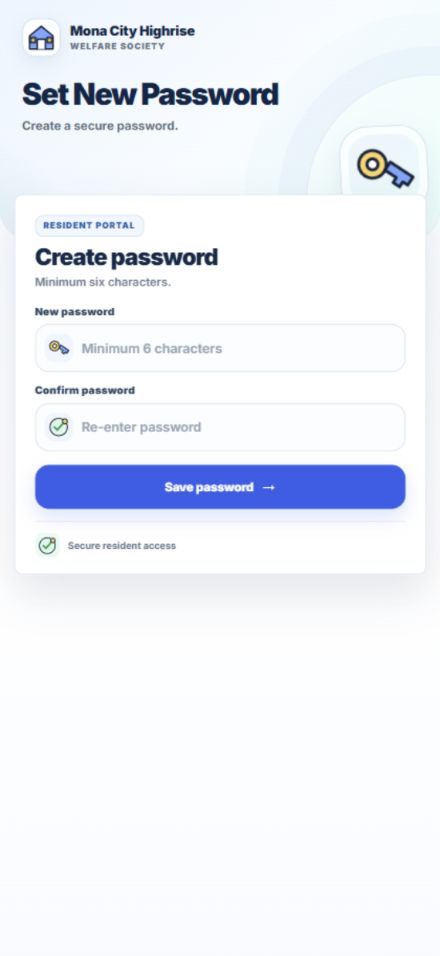
Password से login करना है तो App Password screen पर नया password set करें।
Shared phone या browser पर app इस्तेमाल करने के बाद Logout करें।
Tenant अपने registered mobile से linked flat की services देख सकते हैं। कौन सी details दिखेंगी, यह account और society approval पर depend करता है।
Approved tenant अपने registered mobile से इसी portal में login करके linked flat की services देख सकते हैं।
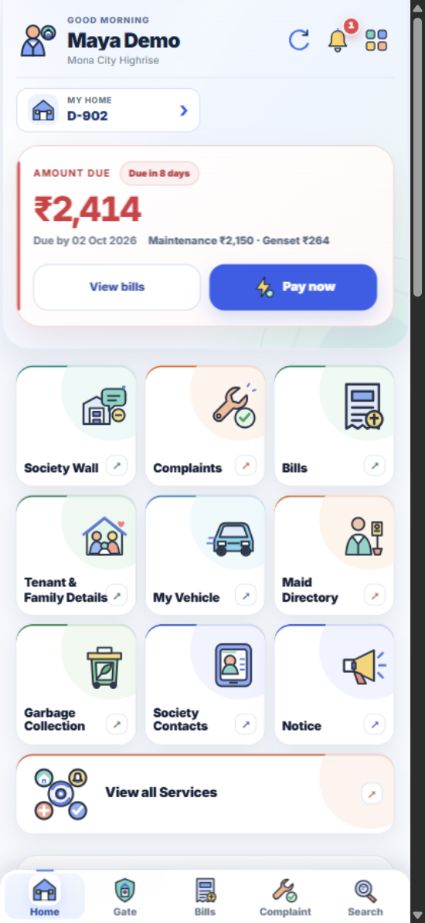
Tenant & Family में आपके linked flat के tenant records, members और documents मिलते हैं।
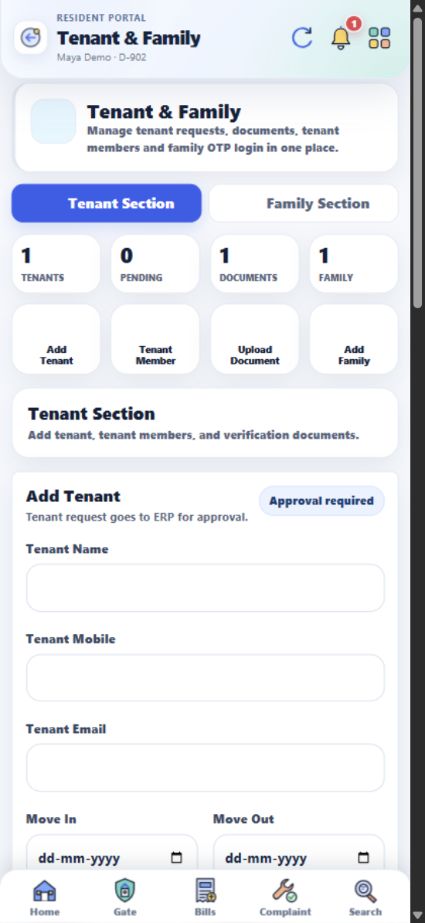
आपके linked flat के visitor requests, Gate tab में आते हैं।
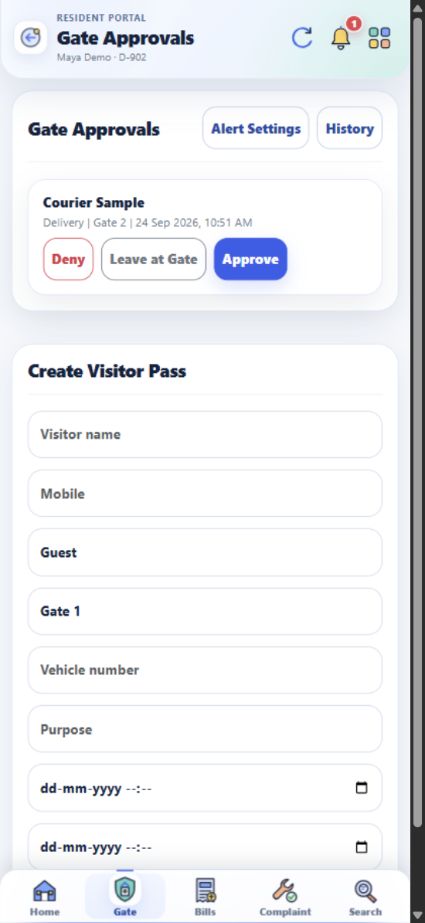
Flat के उपलब्ध bills और payments की जानकारी tenant login में भी दिखती है।
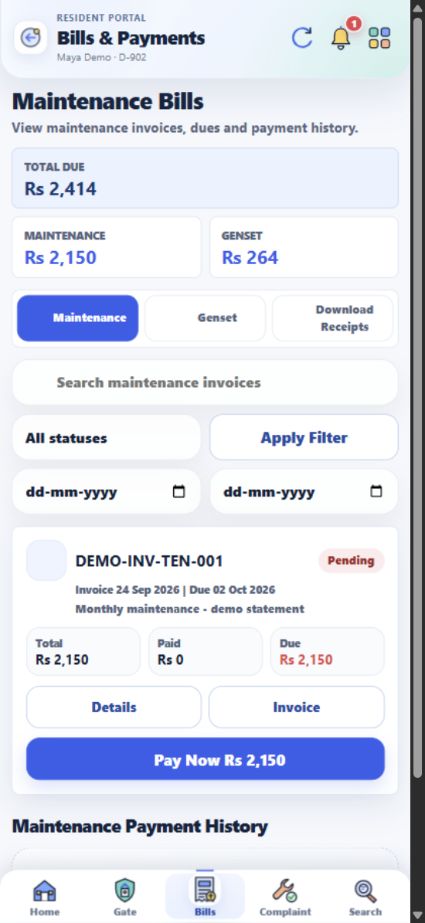
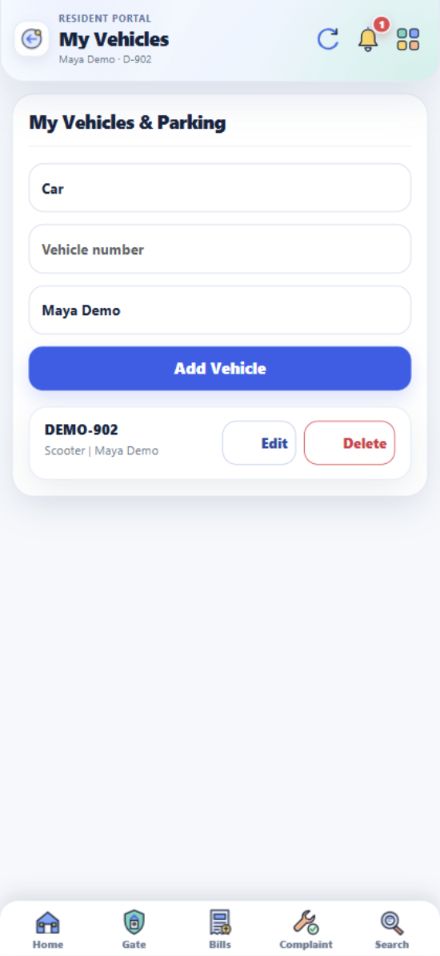
अपनी इस्तेमाल की गाड़ी को linked flat के record से जोड़ें।
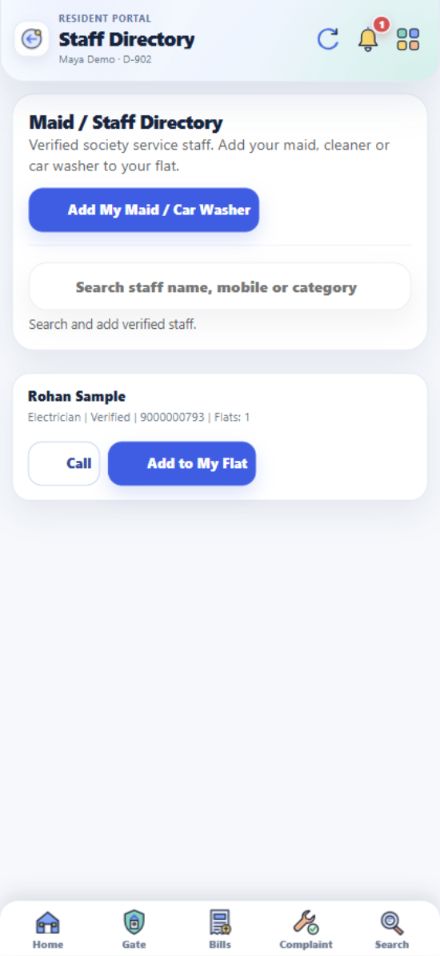
Verified staff खोजें, flat से link करें और garbage collection का daily status देखें।
Tenant भी flat से जुड़े daily issues और society updates देख सकते हैं।
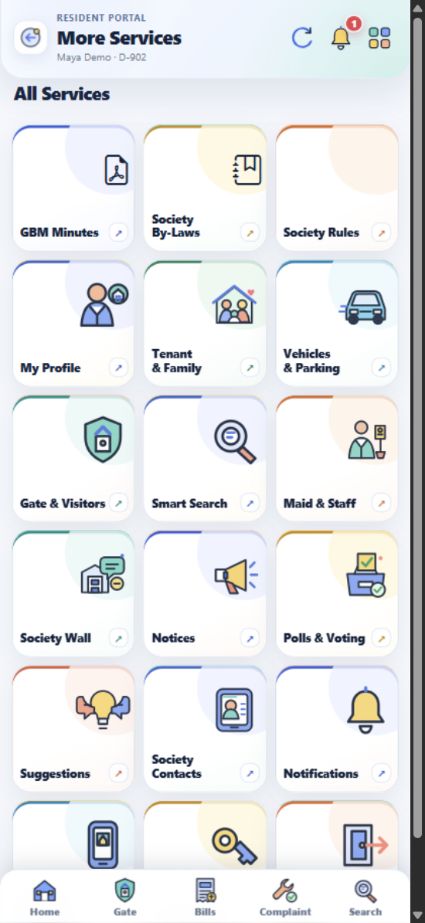
All Services से linked flat की profile और अपनी login settings खोलें। अपनी tenant details Tenant & Family में देखें।
App की सभी main services को 6 sections में समझें। किसी जवाब के पूरे steps चाहिए हों तो वहीं से संबंधित guide खोलें।
Resident Login पर registered mobile number डालें। Password या Login with OTP से sign in करें। Login के बाद Home पर आपका linked flat और जरूरी shortcuts दिखते हैं।
पूरे steps देखें ↗Home पर My Home खोलें। अगर account से कई flats linked हैं, तो Switch Home से सही flat चुनें।
पूरे steps देखें ↗Home के ऊपर bell icon दबाएँ या All Services → Notifications खोलें। Visitor और दूसरे account alerts वहीं देखें।
पूरे steps देखें ↗नीचे Search दबाएँ या All Services → Smart Search खोलें। कम से कम दो अक्षर लिखकर bills, receipts, complaints, notices, staff और members खोजें।
पूरे steps देखें ↗All Services → My Profile में details देखें। Update Profile में बदलाव भरकर Save Profile दबाएँ और Profile Update Requests में status देखें।
पूरे steps देखें ↗All Services → App Password खोलें, नया password और उसका confirmation भरें, फिर Save password दबाएँ। अगली बार registered mobile के साथ नया password इस्तेमाल करें।
पूरे steps देखें ↗All Services → Logged-in Devices में login history देखें। Shared phone इस्तेमाल करने के बाद All Services → Logout दबाएँ।
पूरे steps देखें ↗Home → Tenant & Family Details → Tenant Section → Add Tenant में नाम, mobile और रहने की dates भरें। Save Tenant के बाद Tenant Records में approval status देखें।
पूरे steps देखें ↗Tenant request को society office से approval चाहिए। Tenant Records में approval और active status check करें; approval के बाद registered mobile से login करें।
पूरे steps देखें ↗Tenant Section में Tenant Member खोलें, सही tenant चुनें और member का नाम, relation और बाकी details save करें। Entry नीचे Tenant Members में दिखेगी।
पूरे steps देखें ↗Tenant Section → Upload Document में tenant और Document Type चुनें। PDF या image attach करके Upload Tenant Document दबाएँ; Tenant Documents में verification status देखें।
पूरे steps देखें ↗Tenant & Family Details → Family Section में Add Family Member खोलें। Name, relation और mobile भरें; ज़रूरत हो तो Emergency चुनें। Family Details में entry edit या delete भी कर सकते हैं।
पूरे steps देखें ↗Home → My Vehicle में type, number और owner name भरकर Add Vehicle दबाएँ। नीचे list से Edit या Delete चुनें।
पूरे steps देखें ↗My Vehicle में vehicle record दिखता है। Parking slot या sticker के लिए अलग request button नहीं दिखता; Society Contacts में office से बात करें।
पूरे steps देखें ↗Home → Maid Directory में verified staff खोजकर Add to My Flat चुनें। नया worker हो तो Add My Maid / Car Washer से details भेजें और verification status देखें।
पूरे steps देखें ↗नीचे Gate खोलें और waiting request में visitor details देखें। सही visitor के लिए Approve, मना करने के लिए Deny, या सामान gate पर रखने के लिए Leave at Gate चुनें।
पूरे steps देखें ↗Gate → Create Visitor Pass में visitor name, type, gate और valid time भरें। बने हुए passes My Visitor Passes में दिखेंगे।
पूरे steps देखें ↗Photo तभी दिखती है जब gate staff ने request के साथ उसे attach किया हो। जवाब देने से पहले नाम, type और gate details check करें।
पूरे steps देखें ↗Gate Approvals में History से पुराने visits देखें। Alert Settings में household के लिए उपलब्ध visitor notification settings बदलें।
पूरे steps देखें ↗Home → Garbage Collection में आज का status और expected time देखें। Collection miss हो तो note के साथ Report Not Collected भेजें।
पूरे steps देखें ↗नीचे Bills → Maintenance खोलें। Invoice में due date, amount और Details में charges का breakdown तथा payment summary देखें।
पूरे steps देखें ↗Bills → Genset में Meter & Usage, bill amount और Payment Summary देखें। पुराने payments Genset Payment History में मिलेंगे।
पूरे steps देखें ↗Bills → Download Receipts में fully paid society bills की receipts दिखती हैं। Pending या partially paid bill की receipt अभी उपलब्ध नहीं होगी।
पूरे steps देखें ↗Pay Now official payment flow खोलता है। Payment के बाद bill status और receipt Bills में check करें।
पूरे steps देखें ↗नीचे Complaint खोलें, category और problem की details देकर submit करें। All, Active और Closed filters में ticket तथा resolution updates देखें।
पूरे steps देखें ↗किसी problem पर action और follow-up चाहिए तो Complaint डालें। नए idea, general suggestion या app feedback के लिए All Services → Suggestions खोलें।
पूरे steps देखें ↗Home → Society Wall खोलें। What’s on your mind? से post बनाएं; दूसरे posts पर React, Comment, Save या Share कर सकते हैं।
पूरे steps देखें ↗All Services → Polls & Voting में active poll खोलें, अपना option चुनें और vote submit करें। Vote देने के बाद चुना हुआ option वहीं दिखेगा।
पूरे steps देखें ↗Home की Society Library → GBM Minutes खोलें। Meeting date और venue देखें; PDF उपलब्ध हो तो meeting record से खोलें।
पूरे steps देखें ↗Society Library → By-Laws में published sections पढ़ें। अगर read acknowledgement दिखे तो पढ़ने के बाद उसे दर्ज करें।
पूरे steps देखें ↗Society Library → Society Rules खोलें। Gate, tenant entry और parking जैसे published rules वहीं पढ़ें।
पूरे steps देखें ↗Home पर At a glance में Defaulter List of Maintenance खोलें। अपने flat के exact invoices और dues के लिए Bills देखें।
पूरे steps देखें ↗Home → Notice में society के published notices और events देखें। Account से जुड़े alerts bell icon में मिलेंगे।
पूरे steps देखें ↗Home → Society Contacts में office और emergency sections खोलें। उपलब्ध number पर Call button दबा सकते हैं।
पूरे steps देखें ↗Approved tenant Resident Login पर अपने registered mobile से password या OTP के जरिए sign in करें। Home पर linked flat और उपलब्ध services दिखेंगी।
पूरे steps देखें ↗Home → Tenant & Family Details → Tenant Section में अपना record, occupancy status, members और documents देखें। उपलब्ध forms से member या document details भेजें।
पूरे steps देखें ↗Gate में linked flat की waiting request खोलें और Approve, Deny या Leave at Gate चुनें। Guest पहले से आना हो तो Create Visitor Pass इस्तेमाल करें।
पूरे steps देखें ↗नीचे Bills में Maintenance और Genset tabs खोलें। Details में bill breakdown और Download Receipts में उपलब्ध receipts देखें।
पूरे steps देखें ↗Home → My Vehicle में vehicle type, number और owner name भरें। Parking slot या sticker के लिए Society Contacts से office से पूछें।
पूरे steps देखें ↗Maid Directory में staff खोजें या अपने flat से link करें। Garbage Collection में आज के collector का status देखें।
पूरे steps देखें ↗Complaint से issue दर्ज करें; Society Wall, Polls & Voting, Suggestions, Notices और GBM Minutes में उपलब्ध updates देखें।
पूरे steps देखें ↗Tenant & Family Details में अपनी tenant details देखें। All Services में My Profile, App Password और Logout के रास्ते मिलते हैं। Details में correction चाहिए तो resident या society office से बात करें।
पूरे steps देखें ↗Registered mobile number और password या OTP तैयार रखें। अपनी details बदलनी हों तो My Profile खोलें या Society Contacts से office को contact करें।